
Managing finances is one of the most important responsibilities for a small business. Owners need to track income and expenses, send invoices, reconcile bank transactions, monitor cash flow, and prepare accurate financial reports without spending unnecessary time on manual bookkeeping.
The right accounting software can make these tasks easier by bringing financial information into one system. However, the best accounting software for one business may not be the right choice for another. A freelancer with a few clients has different needs from an online store, consulting company, or growing business with employees and inventory.
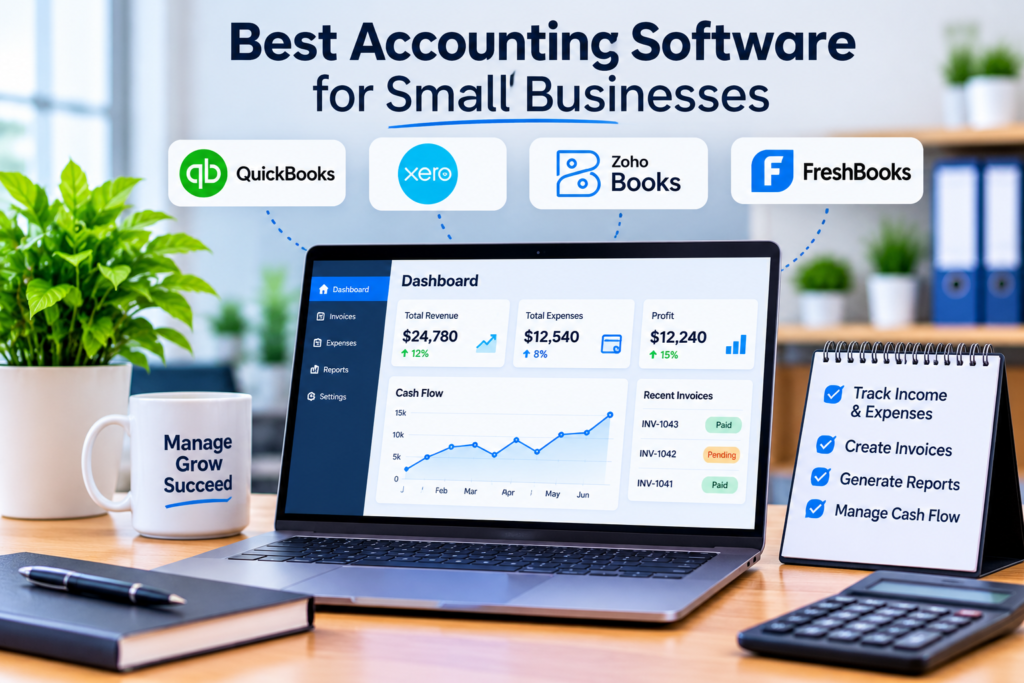
This guide compares some of the leading accounting software options for small businesses in 2026, including QuickBooks Online, Xero, Zoho Books, and FreshBooks. It also explains the features to look for, the strengths and limitations of each option, and how to choose accounting software based on your business needs.
What Is Accounting Software for Small Businesses?
Accounting software is a digital system that helps businesses record, organize, and manage financial transactions.
Instead of maintaining income, expenses, invoices, and other records manually in spreadsheets or paper files, businesses can use accounting software to automate many routine bookkeeping tasks.
Common functions include:
- Income and expense tracking
- Invoice creation
- Expense categorization
- Bank transaction imports
- Bank reconciliation
- Financial reporting
- Accounts payable and receivable
- Tax-related recordkeeping
- Cash-flow monitoring
- Receipt management
- Payment collection
- Inventory or project tracking, depending on the software
Keeping accurate financial records is important because businesses need reliable information to monitor performance and prepare financial statements. The IRS also notes that electronic accounting systems are subject to the same fundamental recordkeeping principles as paper records.
What Should Small Businesses Look for in Accounting Software?
The best accounting software should solve real financial-management problems rather than simply offer the largest number of features.
1. Income and Expense Tracking
At a minimum, the software should make it easy to record business income and expenses and categorize transactions correctly.
This gives owners a clearer picture of where money is coming from and where it is being spent.
2. Invoicing
Businesses that sell services or products should look for software that allows them to create professional invoices, monitor payment status, and send payment reminders.
Recurring invoicing can also be useful for businesses that bill clients regularly.
3. Bank Feeds and Reconciliation
Connecting bank accounts can reduce manual data entry by importing transactions into the accounting system.
Bank reconciliation is equally important because it helps ensure that recorded transactions match actual bank activity.
4. Financial Reports
Useful accounting software should provide reports such as:
- Profit and loss
- Balance sheet
- Cash flow
- Accounts receivable
- Accounts payable
- Expense reports
These reports help business owners understand financial performance and make better decisions.
5. Ease of Use
Small businesses often do not have a full-time accounting department.
An interface that is difficult to understand can create unnecessary work and increase the risk of bookkeeping mistakes. Software should therefore be practical for the people who will actually use it.
6. Integrations
Accounting software may need to connect with payment systems, banks, payroll platforms, e-commerce platforms, CRM tools, project-management software, or other business applications.
The importance of integrations increases as a company grows.
7. Security and Access Controls
Financial data is sensitive. Look for appropriate account security, user permissions, authentication controls, and reliable data protection practices.
Best Accounting Software for Small Businesses
The following options stand out for different types of small businesses rather than because one product is universally the best.
| Accounting Software | Best For | Key Strength | Potential Limitation |
|---|---|---|---|
| QuickBooks Online | Broad range of small businesses | Comprehensive accounting ecosystem | Can become relatively expensive as needs grow |
| Xero | Growing businesses and teams | Strong accounting, reporting, and collaboration features | Some advanced features require higher plans or add-ons |
| Zoho Books | Budget-conscious businesses and businesses using Zoho | Strong feature-to-price balance | Some advanced capabilities are plan-dependent |
| FreshBooks | Freelancers and service businesses | Client invoicing and expense management | Less focused on some complex business needs |
The right choice depends more on business requirements than on the number of features available.
1. QuickBooks Online
QuickBooks Online official pricing and plans
QuickBooks Online is one of the most established choices for small-business accounting and offers several plans designed for businesses with different levels of accounting complexity.
Its current US plans include Simple Start, Essentials, Plus, and Advanced. The official pricing page also lists features such as income and expense tracking, invoicing, reports, cash-flow tools, integrations, budgeting, and other accounting capabilities depending on the plan.
Why choose QuickBooks Online?
QuickBooks can be a strong choice when a business wants a broad accounting ecosystem rather than a basic invoicing application.
It can be particularly useful for businesses that need:
- Income and expense tracking
- Professional invoicing
- Bank connections
- Financial reports
- Bill management
- Inventory features on higher plans
- Budgeting
- Business integrations
- Multiple users on appropriate plans
Best for
QuickBooks Online is a good option for small businesses that expect their accounting requirements to become more sophisticated over time.
It is especially worth considering if the business already works with an accountant or wants access to a widely supported accounting platform.
Potential limitation
QuickBooks offers many capabilities, but businesses with very simple financial needs may not need its more advanced features.
Pricing can also vary by promotion, plan, country, and additional services, so businesses should check the current official pricing before subscribing.
2. Xero
Xero is another major cloud accounting platform aimed at businesses that want accounting, invoicing, reporting, bank reconciliation, and other financial-management capabilities in one system.
Its US plans currently include Early, Growing, and Established. The plans differ in areas such as invoice limits, bill management, cash-flow forecasting, dashboards, multiple currencies, project tracking, and other advanced features.
Why choose Xero?
Xero can be particularly attractive to growing businesses that want accounting software capable of supporting more advanced workflows.
Depending on the plan, businesses can access:
- Invoicing
- Quotes
- Bank reconciliation
- Bill management
- Expense-related tools
- Financial reports
- Cash-flow forecasting
- Sales-tax features
- Budgeting
- Multiple currencies
- Project tracking
- Performance dashboards
Xero also states that its plans do not use per-user license fees, although some additional services can carry separate charges.
Best for
Xero is worth considering for growing small businesses, teams, and companies that need stronger financial visibility and collaboration.
Potential limitation
The lowest plan has usage limits, so businesses with higher invoice or bill volumes may need to move to a more expensive plan.
Some features are also available through optional add-ons rather than the core subscription.
3. Zoho Books
Zoho Books is particularly interesting for small businesses looking for a combination of accounting functionality and relatively accessible pricing.
Zoho currently offers a free plan for qualifying solopreneurs and micro businesses, followed by paid plans with additional capabilities. Its official US pricing page lists Free, Standard, Professional, Premium, Elite, and Ultimate plans.
The software supports functions such as:
- Invoicing
- Quotes
- Expense tracking
- Bank reconciliation
- Vendor management
- Online payments
- Recurring invoices
- Financial reports
- Inventory management
- Project profitability
- Multi-currency transactions
- Budgeting
- Cash-flow forecasting
Higher plans add more advanced inventory, customization, automation, and analytics features.
Why choose Zoho Books?
One of its strongest advantages is that businesses can start with a relatively simple setup and move into more advanced plans as their requirements increase.
It can also make sense for companies already using other Zoho applications because Zoho Books supports integrations with products such as Zoho CRM, Zoho Inventory, Zoho Expense, Zoho Analytics, and Zoho Projects.
Best for
Zoho Books is a strong option for:
- Solopreneurs
- Micro businesses
- Small businesses with limited budgets
- Businesses already using the Zoho ecosystem
- Businesses that need accounting plus inventory or project functionality
Potential limitation
Not every feature is available on the free or entry-level plans. Businesses with more complex requirements may need a higher-tier subscription.
4. FreshBooks
FreshBooks is particularly focused on freelancers, service providers, consultants, and small businesses that place a strong emphasis on invoicing and client management.
Its current plans include Lite, Plus, Premium, and Select. The official pricing page shows differences in client limits, invoicing capabilities, expense management, reporting, and additional services.
FreshBooks provides features such as:
- Invoicing
- Estimates
- Expense tracking
- Client management
- Online payments
- Recurring invoices
- Time tracking
- Expense receipt scanning
- Financial reports
- Project profitability
- Accountant access
Why choose FreshBooks?
FreshBooks can be especially convenient for businesses whose financial workflow revolves around clients, projects, invoices, and billable work.
For example, a consultant who sends invoices to multiple clients and tracks time and expenses may find FreshBooks more aligned with their workflow than software designed primarily for larger accounting operations.
Best for
FreshBooks is a strong candidate for:
- Freelancers
- Consultants
- Agencies
- Professional service providers
- Small businesses that invoice clients frequently
Potential limitation
Businesses with complex inventory, large-scale accounting requirements, or more sophisticated financial-management needs may find another platform more suitable.
Quick Comparison: Which Accounting Software Is Best?
| Software | Best For | Invoicing | Bank Reconciliation | Reporting | Inventory | Free Option |
|---|---|---|---|---|---|---|
| QuickBooks Online | Broad small-business needs | Yes | Yes | Strong | Available on selected plans | Free option shown on current US page |
| Xero | Growing businesses | Yes | Yes | Strong | Add-on/plan dependent | No standard permanent free plan |
| Zoho Books | Budget-conscious businesses | Yes | Yes | Strong | Available on higher plans | Yes, qualifying free plan |
| FreshBooks | Freelancers and service businesses | Strong | Yes | Yes | Less central | No permanent standard free plan |
Important: Features and pricing can change, and availability can differ by country. Always verify the plan available to your business before purchasing.
How to Choose the Best Accounting Software for Your Small Business
Choosing accounting software should start with your business model rather than the software’s popularity.
If You Are a Freelancer
Focus on:
- Invoicing
- Expense tracking
- Time tracking
- Client management
- Online payments
- Basic financial reports
FreshBooks can be worth considering because its workflow is strongly centered around clients, invoices, expenses, and billable work.
If You Are a Growing Small Business
Look for:
- Bank feeds
- Reconciliation
- Accounts payable
- Financial reporting
- Multiple users
- Cash-flow tools
- Integrations
QuickBooks Online and Xero are strong candidates for this type of business.
If You Want to Keep Costs Low
Zoho Books deserves consideration because its current US offering includes a free plan for qualifying solopreneurs and micro businesses, while paid plans expand into more advanced accounting and business-management features.
If You Need Inventory
Inventory requirements can quickly change which accounting software is appropriate.
Instead of choosing software simply because it has an inventory feature, check whether it supports the inventory workflow your business actually needs.
For example, Zoho Books offers inventory capabilities on higher plans, while QuickBooks also includes inventory-related functionality on selected plans.
Accounting Software vs. Spreadsheets
Spreadsheets can work for very simple recordkeeping, but they become harder to manage as transaction volume increases.
Accounting software can automate tasks such as importing bank transactions, categorizing expenses, generating invoices, reconciling accounts, and producing financial reports.
The IRS recognizes electronic accounting software as a valid form of recordkeeping when it maintains complete and accurate records that meet applicable requirements.
For a business with regular transactions, automated accounting software can therefore reduce repetitive work and provide a more organized financial record.
Common Mistakes When Choosing Accounting Software
Choosing Based Only on Price
The cheapest plan may not be the cheapest solution in the long run.
A low-cost plan that lacks essential features may force you to use additional applications or perform more manual work.
Paying for Features You Do Not Need
The opposite mistake is choosing the most expensive plan simply because it includes more features.
Small businesses should pay for capabilities that match their current requirements and likely near-term growth.
Ignoring Integration Requirements
If your business uses e-commerce, payment processing, CRM, payroll, or project-management tools, check compatibility before choosing accounting software.
Forgetting About Data Migration
If you already maintain records in another accounting system or spreadsheet, investigate how easily your data can be transferred.
Choosing Software Without Considering Your Accountant
If an accountant or bookkeeper helps manage your business finances, confirm that they can work efficiently with your chosen platform.
Is Free Accounting Software Good Enough for a Small Business?
It can be, depending on the business.
A free plan may be sufficient for a freelancer or very small business with straightforward needs, especially if it includes the core functions required to track income, expenses, invoices, and reports.
However, businesses should check:
- Transaction limits
- Number of users
- Available integrations
- Bank connections
- Reporting capabilities
- Inventory support
- Payment-processing costs
- Tax features
- Customer support
For example, Zoho Books currently offers a free plan with invoicing, expense tracking, bank reconciliation, reports, and other features for qualifying solopreneurs and micro businesses.
Free does not necessarily mean better. The right option is the one that handles the financial tasks your business actually needs.
Does Every Small Business Need Accounting Software?
Not necessarily.
A very small business with a limited number of transactions may be able to maintain accurate records using another appropriate system.
However, as transactions become more frequent or the business adds employees, inventory, multiple accounts, recurring invoices, or more complex financial activity, dedicated accounting software becomes increasingly useful.
The important issue is not whether the software is sophisticated. It is whether the recordkeeping system accurately captures the business’s financial activity.
The IRS states that businesses should choose a recordkeeping system that clearly shows income and expenses and that the business’s circumstances influence the records it needs to maintain.
FAQs About Accounting Software for Small Businesses
What is the best accounting software for a small business?
There is no single best option for every business. QuickBooks Online is a strong all-around choice, Xero is well suited to growing businesses, Zoho Books offers a strong price-to-feature balance, and FreshBooks is particularly suitable for freelancers and service businesses.
What is the easiest accounting software for beginners?
The easiest option depends on the user’s accounting experience and business model. FreshBooks and Zoho Books can be attractive for users who prioritize a straightforward workflow, while QuickBooks and Xero offer broader accounting capabilities for businesses with more complex requirements.
Is QuickBooks better than Xero?
Neither is universally better. QuickBooks offers a broad accounting ecosystem and multiple plan levels, while Xero emphasizes cloud accounting, financial visibility, collaboration, and features such as cash-flow forecasting and multi-currency support on higher plans.
Is Zoho Books good for small businesses?
Yes. Zoho Books provides accounting features ranging from invoicing and expense tracking to bank reconciliation, financial reporting, inventory, project profitability, and automation depending on the plan. It also offers a free plan for qualifying solopreneurs and micro businesses.
Is FreshBooks only for freelancers?
No. FreshBooks also offers plans for businesses with contractors and employees. However, its client invoicing, expense tracking, time tracking, and project-oriented features make it particularly relevant to freelancers and service businesses.
Can accounting software replace an accountant?
Accounting software can automate bookkeeping tasks and provide useful financial reports, but it does not automatically replace professional accounting or tax advice. Businesses with complicated tax, payroll, regulatory, or financial situations may still benefit from working with a qualified accountant or tax professional.
Conclusion
The best accounting software for small businesses is not necessarily the platform with the most features or the lowest price. It is the system that fits the way the business operates and provides reliable tools for managing financial records.
QuickBooks Online is a strong all-around choice for businesses that want a broad accounting ecosystem. Xero is worth considering for growing businesses that need strong cloud accounting and financial visibility. Zoho Books stands out for businesses looking for a feature-rich and comparatively accessible solution, including a free option for qualifying micro businesses. FreshBooks is particularly suitable for freelancers, consultants, and service businesses that depend heavily on invoicing and client management.
Before choosing a platform, compare the features you actually need, the plan limits, integrations, support, and the pricing available in your country.
The goal should be simple: choose accounting software that makes financial recordkeeping more accurate, organized, and manageable as your business grows.

One Response