Finding the best free accounting software for small businesses can help owners organize income, expenses, invoices, and financial records without adding another monthly subscription. However, “free” does not always mean that every accounting feature is available at no cost.
Some free plans are cloud-based and designed for simple bookkeeping, while others are desktop applications that provide more accounting functionality but may not include cloud access, automatic bank feeds, or multi-user collaboration.
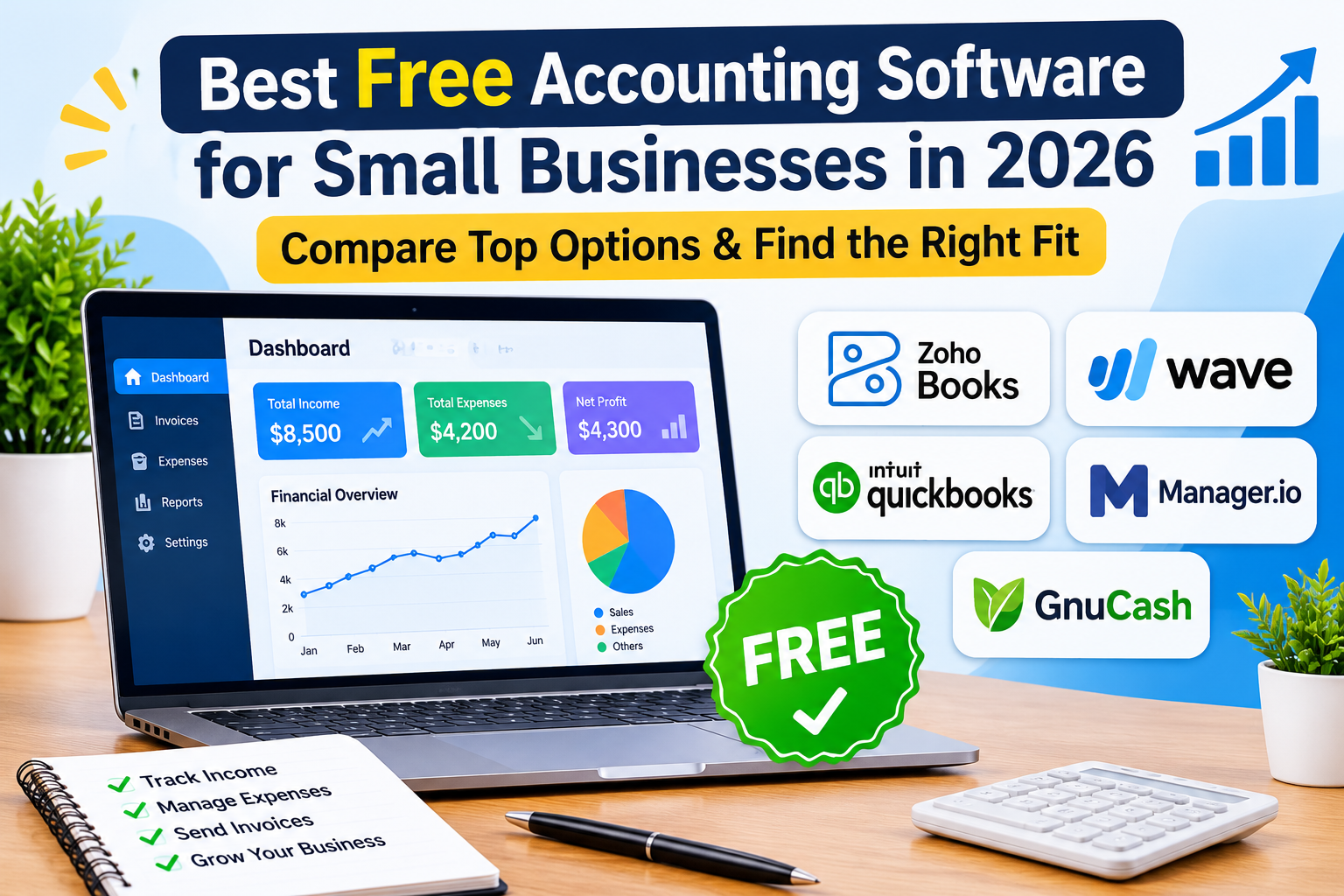
In 2026, options such as Zoho Books Free, Wave, QuickBooks Free, Manager.io, and GnuCash offer different approaches to free accounting. The right choice depends on your business size, revenue, invoicing needs, number of users, and whether you need online access.
This guide compares the leading options and explains what to look for before choosing free accounting software.
What Is Free Accounting Software?
Free accounting software is financial software that allows a business to record and manage accounting activities without paying a recurring subscription for the available free plan or edition.
Depending on the software, free features may include:
- Income and expense tracking
- Invoicing
- Estimates
- Financial reports
- Bank reconciliation
- Accounts receivable and payable
- Customer records
- Basic bookkeeping
- Business transaction records
However, free plans often have limitations. These may include revenue thresholds, invoice limits, user restrictions, limited bank connectivity, or fewer integrations.
For example, Zoho Books currently provides a free plan for eligible solopreneurs and micro businesses. Its free plan includes invoicing, expenses, journals, bank reconciliation, financial reports, and access for one user plus one accountant. The current official pricing information also lists a limit of up to 1,000 invoices annually and states that the free plan remains available as long as the business stays within the applicable revenue threshold.
QuickBooks Free takes a different approach, offering $0 access for solo businesses with one user, one connected bank account, two standard invoices per month, and basic financial reports.
Therefore, the important question is not simply “Is it free?” but rather “Does the free version provide everything my business actually needs?”
Best Free Accounting Software for Small Businesses in 2026
Several options stand out for different types of small businesses.
| Software | Best For | Free Access | Important Limitation |
|---|---|---|---|
| Zoho Books | Micro and small businesses needing more accounting features | Free plan | Eligibility and plan limits apply |
| Wave | Freelancers and service businesses | Free Starter plan | Some advanced features require a paid plan |
| QuickBooks Free | Solo businesses starting with QuickBooks | $0 plan | One user and limited invoices |
| Manager.io | Businesses wanting full desktop accounting | Free desktop edition | Desktop edition is single-user |
| GnuCash | Experienced users wanting open-source accounting | Free and open source | Less convenient for businesses wanting modern cloud collaboration |
The important difference between these options is that they do not all provide the same definition of “free.” Some offer permanent free plans with feature limits, while others provide free desktop software.
1. Zoho Books — Best Free Option for Accounting Features
Zoho Books is one of the strongest choices for a small business that wants a genuine accounting system without immediately paying for a subscription.
Its current free plan is designed for solopreneurs and micro businesses. It includes features such as invoicing, quotes, expenses, journals, vendor management, bank reconciliation, recurring invoices, online payments, and financial reports. The plan allows one user plus one accountant.
Best for
Zoho Books is particularly suitable for:
- Micro-businesses
- Freelancers
- Sole proprietors
- New businesses
- Small businesses that meet the free-plan requirements
- Owners who want accounting features beyond simple invoicing
Main advantage
The biggest advantage is the amount of accounting functionality available before a business needs to move to a paid plan.
Main limitation
Businesses should check the current eligibility requirements and feature limits before choosing the free plan. Zoho’s official documentation states that the free plan is available indefinitely while the business remains within the applicable revenue threshold, and the plan currently supports up to 1,000 invoices annually.
Explore Zoho Books official pricing
2. Wave — Best for Free Invoicing and Simple Bookkeeping
Wave is another useful option for very small businesses, freelancers, and service providers.
Wave’s Starter plan is free and includes basic accounting and invoicing features. Businesses can upgrade when they need additional capabilities available through paid services.
Best for
Wave can be a good fit for:
- Freelancers
- Consultants
- Independent professionals
- Small service businesses
- Businesses that primarily need invoicing and basic bookkeeping
Main advantage
Its free Starter plan can provide a straightforward starting point for businesses that want to send invoices and maintain basic financial records without paying a monthly software subscription.
Main limitation
Businesses that require more advanced automation, bank connectivity, receipt tools, or other premium capabilities may need to upgrade.
Explore Wave’s official website
3. QuickBooks Free — Best for Solo Businesses Starting Small
QuickBooks is widely known for small-business accounting, and in 2026 its QuickBooks Free plan provides a $0 option for solo or new business owners.
The current free plan includes one user, one connected bank account, income and expense tracking, profit-and-loss reporting, balance-sheet reporting, and limited invoicing. The official page currently lists up to two standard invoices per month.
Best for
QuickBooks Free makes the most sense for:
- Solo business owners
- Very small businesses
- New businesses
- Users who may eventually want to upgrade to QuickBooks
Main advantage
A major benefit is that users can start at $0 and later move into paid QuickBooks plans as their requirements increase.
Main limitation
The free plan is intentionally limited. One user, limited invoicing, and other usage restrictions mean that an active growing business may outgrow it relatively quickly.
Explore QuickBooks Free official plan
4. Manager.io — Best Free Desktop Accounting Software
If your priority is having a full accounting application that can operate without an internet connection, Manager.io deserves consideration.
Manager’s desktop edition is free and can be used on Windows, Mac, and Linux. It is designed as a desktop accounting solution rather than a conventional cloud subscription.
Best for
Manager.io is particularly useful for:
- Small businesses comfortable with desktop software
- Businesses that want offline accounting
- Users who do not need multiple people working in the same file simultaneously
- Businesses looking for a free desktop accounting solution
Main limitation
The free desktop approach is less suitable for businesses that need cloud collaboration and multiple people accessing the same accounting records remotely.
5. GnuCash — Best Open-Source Accounting Option
GnuCash is a free, open-source accounting program designed for personal and small-business financial accounting.
It is available for major desktop operating systems and is distributed as open-source software.
Best for
GnuCash may suit:
- Experienced bookkeeping users
- Small businesses that want open-source software
- Users who prefer desktop accounting
- Businesses that do not require cloud collaboration
Main limitation
It can be less convenient for a business that expects a modern cloud accounting experience with simple browser access and real-time collaboration.
Visit the official GnuCash website
Free Accounting Software Comparison
The following comparison focuses on the type of free access each product provides rather than treating every “free” option as equivalent.
| Software | Cloud-Based | Free Invoicing | Bank Connectivity | Best For |
|---|---|---|---|---|
| Zoho Books | Yes | Yes, with plan limits | Available features depend on plan | Micro-businesses |
| Wave | Yes | Yes | Some advanced connectivity features may require paid services | Service businesses |
| QuickBooks Free | Yes | Limited | 1 connected bank | Solo businesses |
| Manager.io | Desktop | Yes | Depends on setup | Offline accounting |
| GnuCash | Desktop | Yes | Not cloud-based | Open-source accounting |
Free plans change frequently, so businesses should verify current limits before making a decision. For example, QuickBooks and Zoho Books publish their current plan details on their official websites.
How to Choose the Best Free Accounting Software

The best free accounting software depends on how your business operates.
Choose Zoho Books if you need more accounting features
Zoho Books is a strong choice when you want a structured accounting system with reports, invoices, expenses, journals, reconciliation, and accountant access while remaining eligible for the free plan.
Choose Wave if invoicing is your priority
If your business mainly sends invoices, tracks income and expenses, and maintains basic bookkeeping, Wave can be a practical starting point.
Choose QuickBooks Free if you want to start with QuickBooks
QuickBooks Free makes sense if you are a solo business owner and expect to move into a paid QuickBooks plan as your business grows.
Choose Manager.io if you want offline accounting
Manager.io is particularly attractive if internet access, cloud subscriptions, or recurring fees are major concerns.
Choose GnuCash if you want open-source software
GnuCash is worth considering when you want a free, open-source desktop accounting application and are comfortable with a more traditional accounting workflow.
What Features Should Free Accounting Software Include?
Before choosing a free accounting platform, check whether it supports the basic functions your business actually needs.
Income and Expense Tracking
The software should make it easy to record money coming into and leaving your business.
Invoicing
If you regularly bill customers, check whether the free plan includes enough invoices for your monthly activity.
This is particularly important because a plan can technically be free while its invoice limit makes it unsuitable for an active business.
Bank Connectivity
Automatic bank feeds can save time by importing transactions automatically. However, some free plans only allow limited connectivity or require an upgrade for more advanced bank-feed functionality.
Financial Reports
At minimum, look for useful reports such as:
- Profit and loss
- Balance sheet
- Account summaries
- Expense reports
- Income reports
User Access
A business owner working alone has different requirements from a business where an owner, employee, and accountant all need access.
Always check the number of users included in the free plan.
Data Export and Backup
You should also consider how easily you can export or back up your accounting records.
Accounting software should support good recordkeeping practices rather than becoming the only place where your financial information exists.
The IRS notes that businesses can use electronic accounting systems as long as their records provide complete and accurate information and meet applicable recordkeeping requirements.
Is Free Accounting Software Really Enough for a Small Business?
Sometimes it is.
A freelancer, consultant, sole proprietor, or very small service business may be able to manage its basic bookkeeping using a free plan.
However, free software becomes less suitable when a business needs:
- Multiple users
- Payroll
- Inventory management
- Advanced reporting
- Automatic bank feeds
- Multiple currencies
- More integrations
- Large invoice volumes
- Advanced financial controls
- Dedicated customer support
The key is to compare your actual requirements with the free plan’s limits.
A business should not choose software simply because it costs $0.
If you want to compare free options with broader accounting platforms, see our guide to Best Accounting Software for Small Businesses in 2026. That guide compares accounting solutions such as QuickBooks Online, Xero, Zoho Books, and FreshBooks and explains which types of businesses each option may suit.
Free Accounting Software vs Paid Accounting Software
Free software is attractive because it reduces operating costs, but paid accounting software often provides more automation, integrations, support, and scalability.
| Factor | Free Accounting Software | Paid Accounting Software |
|---|---|---|
| Monthly cost | $0 for eligible features | Recurring subscription |
| Basic bookkeeping | Usually available | Available |
| Invoicing | Often available with limits | Usually more flexible |
| Bank feeds | Often limited | Usually more extensive |
| Users | Often restricted | More users available |
| Reporting | Basic to moderate | More advanced |
| Integrations | Limited on some plans | Usually broader |
| Scalability | Depends on provider | Generally stronger |
| Support | Often limited | Usually better support options |
Free software is therefore best viewed as a starting point rather than automatically being the best long-term solution for every business.
Common Mistakes When Choosing Free Accounting Software
1. Choosing Based Only on the $0 Price
The cheapest software is not necessarily the best software.
A free plan that lacks an essential feature can cost more in time and effort than an inexpensive paid plan.
2. Ignoring Usage Limits
Always check:
- Invoice limits
- User limits
- Revenue limits
- Bank-account limits
- Receipt limits
- Storage limits
3. Confusing a Free Trial With Free Software
A free trial normally provides temporary access to paid features.
A free plan is different because the available features remain free under the provider’s stated conditions.
QuickBooks distinguishes its $0 Free plan from its 30-day free trial of paid plans.
4. Forgetting About Growth
Your business may be small today but significantly larger in a year.
Before choosing software, understand what happens when you exceed the free plan’s limits.
5. Ignoring Recordkeeping
Accounting software should help you maintain organized financial records, but you are still responsible for maintaining appropriate documentation.
The IRS explains that good records help businesses monitor performance, prepare financial statements, identify income, track deductible expenses, and support tax-related requirements.
Is Free Accounting Software Safe for Business Records?
The answer depends on the software and how you use it.
Before storing important financial information, examine:
- Data backup options
- Account security
- User permissions
- Authentication controls
- Data export capabilities
- Provider reputation
- Support options
- Privacy and security documentation
For desktop applications, regular backups are particularly important.
You should also maintain appropriate financial documents outside the software when required by your local laws or tax authority.
Frequently Asked Questions
What is the best free accounting software for small businesses in 2026?
There is no single best option for every business. Zoho Books is a strong choice for eligible small businesses that want a broad set of accounting features. Wave is useful for simple invoicing and bookkeeping, while QuickBooks Free is suitable for solo businesses that want to start in the QuickBooks ecosystem.
Is Zoho Books really free?
Yes. Zoho Books currently offers a free plan for eligible solopreneurs and micro businesses. The official pricing information lists the free plan at $0 and states that it can remain available indefinitely while the business stays within the applicable revenue threshold. The plan currently supports up to 1,000 invoices annually.
Is QuickBooks Free really free?
Yes. QuickBooks Free is a $0-per-month plan rather than a temporary trial. It includes one user, one connected bank account, limited invoicing, and basic financial reports.
Is Wave accounting software free?
Wave offers a free Starter plan with basic accounting and invoicing functionality. Businesses can upgrade when they require additional paid capabilities.
What is the best free accounting software for freelancers?
For freelancers, Wave and Zoho Books can both be worth considering. Wave is particularly suitable when simple invoicing and bookkeeping are the main priorities, while Zoho Books provides a broader accounting feature set for eligible businesses.
Can free accounting software replace an accountant?
Not necessarily. Accounting software can automate recordkeeping and reporting, but it does not replace professional accounting or tax advice when your business has complex financial or regulatory requirements.
Should a growing business use free accounting software?
It can, especially during the early stages. However, a growing business should regularly review whether the free plan still provides enough users, automation, reporting, integrations, and financial controls.
Conclusion
The best free accounting software for small businesses in 2026 depends on what you need from the free plan rather than simply which product has a $0 price.
Zoho Books stands out for eligible small businesses that want a relatively comprehensive accounting system. Wave is useful for simple invoicing and bookkeeping, particularly for service businesses. QuickBooks Free provides a practical starting point for solo businesses that may eventually move into paid QuickBooks plans. Manager.io and GnuCash offer strong alternatives for businesses that prefer desktop accounting.
Before choosing, compare the free plan’s invoice limits, revenue requirements, number of users, bank connectivity, reporting, and upgrade path.
Most importantly, choose software that helps you maintain accurate and organized financial records. Free accounting software can be an excellent starting point, but the right solution is the one that continues to support the way your business actually operates.