
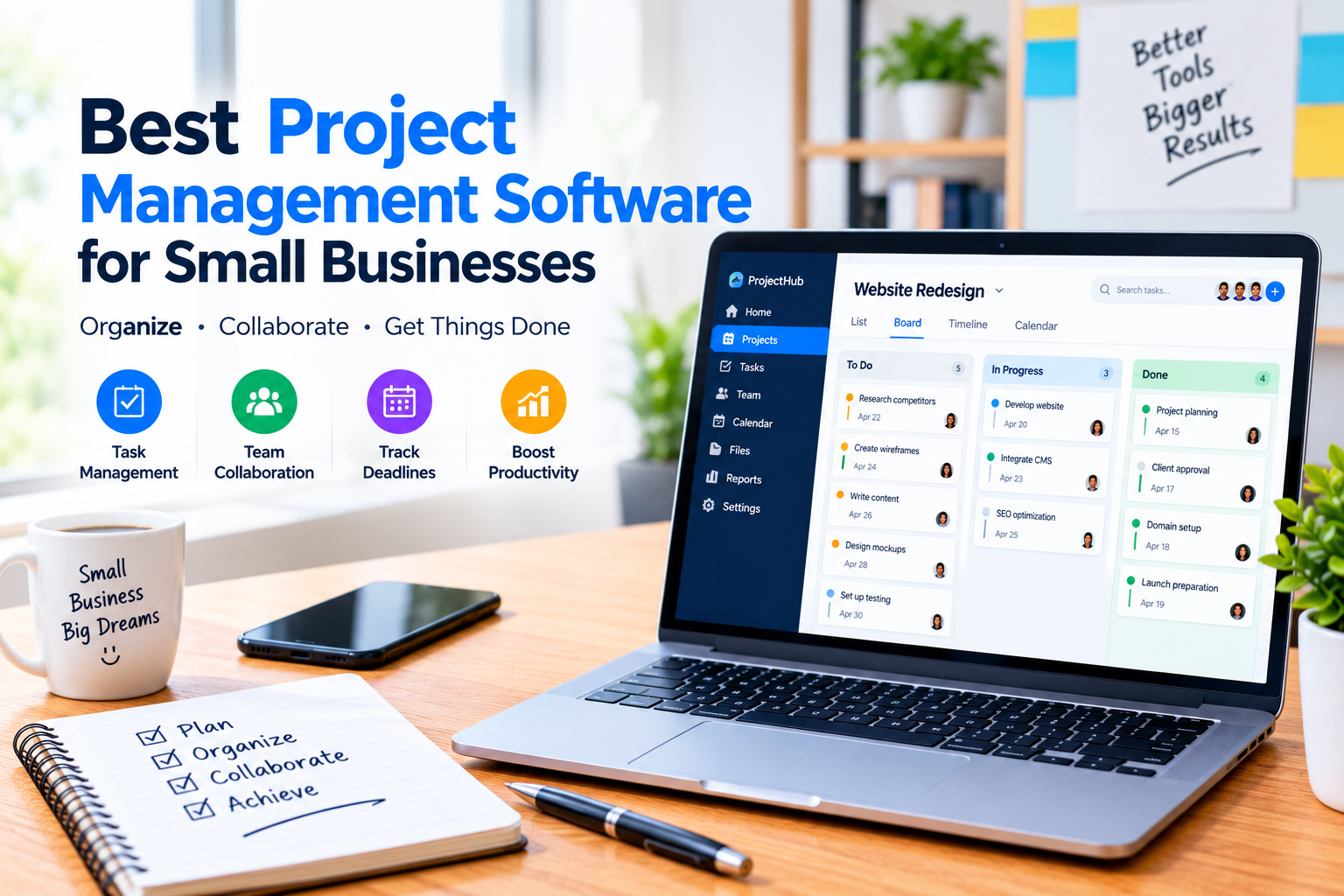
Managing projects efficiently is important for small businesses that need to meet deadlines, coordinate employees, deliver work to customers, and control day-to-day operations. When project information is spread across emails, spreadsheets, chat messages, and handwritten notes, it can become difficult to know what needs to be done, who is responsible for it, and when the work is due.
The best project management software for small businesses can bring tasks, deadlines, responsibilities, files, communication, and project progress into one organized workspace. Instead of depending on separate tools to manage every part of a project, teams can use project management software to create a clearer and more consistent workflow.
However, there is no single project management platform that is ideal for every small business. Some tools are designed for simple visual task management, while others provide advanced automation, reporting, workload management, databases, documents, and multiple project views.
In this guide, we compare Asana, ClickUp, Trello, monday.com, and Notion and explain what each platform is best suited for, its main strengths, potential limitations, and what small businesses should consider before choosing a solution.
Quick Comparison
| Software | Best For | Main Strength | Ease of Use |
|---|---|---|---|
| Asana | Structured team projects | Task and project organization | Very Good |
| ClickUp | Teams needing many work-management tools | Flexible project management | Good |
| Trello | Simple projects and workflows | Visual boards | Excellent |
| monday.com | Visual and customizable workflows | Flexible work management | Very Good |
| Notion | Documents, knowledge, and projects | Flexible workspace | Good |
The right choice depends on your team size, workflow, project complexity, budget, and the features your business actually needs.
What Is Project Management Software?
Project management software is a digital system that helps businesses plan, organize, assign, and monitor work.
Depending on the platform, a team may be able to create tasks, assign responsibilities, set deadlines, attach files, communicate about work, track progress, and visualize project schedules.
For example, a small marketing agency could use project management software to organize a campaign:
Campaign Planning → Content Creation → Design → Review → Client Approval → Publishing
Each stage can contain individual tasks, owners, deadlines, files, and status updates.
This gives the team a shared view of the project instead of requiring employees to search through multiple emails or messages to find the latest information.
Common project management features include:
- Task creation and assignment
- Due dates and deadlines
- Project timelines
- Kanban boards
- Calendar views
- Team collaboration
- File and document sharing
- Task comments
- Notifications and reminders
- Workflow automation
- Progress tracking
- Reports and dashboards
- Integrations with other business applications
Not every platform includes all of these features at the same level. Some features may also be restricted to specific subscription plans.
Why Do Small Businesses Need Project Management Software?
Small businesses often have limited employees and resources. As the number of customers, projects, and responsibilities increases, managing everything manually can become difficult.
A project management platform can help businesses create a more organized working process.
1. Keep Tasks in One Place
Instead of keeping tasks in spreadsheets, emails, notebooks, and messaging applications, employees can use one workspace to see what needs to be completed.
2. Make Responsibilities Clear
Assigning a task to a specific person helps reduce confusion about who is responsible for completing the work.
3. Improve Deadline Management
Due dates and reminders can help teams identify upcoming deadlines and prioritize important work.
4. Improve Team Collaboration
Comments, attachments, project updates, and shared workspaces allow team members to discuss work while keeping project information connected to the relevant task.
5. Track Project Progress
Managers can see which tasks are completed, which are in progress, and which may be delayed.
6. Reduce Repetitive Work
Many modern project management platforms provide automation features that can reduce repetitive administrative tasks.
Project management software can also work alongside other business systems. For example, teams may use project management software to manage internal work while using a CRM to organize leads, customer information, sales opportunities, and follow-ups.
If you want to compare CRM platforms for small businesses, see our guide to Best CRM Software for Small Businesses: Top Tools Compared in 2026: Best CRM Software for Small Businesses: Top Tools Compared.
1. Asana: Best for Structured Project Management
Asana is designed to help teams organize projects, tasks, responsibilities, and deadlines in a shared workspace.
A project can be displayed using different views, including lists, boards, calendars, timelines, and Gantt-style views. Asana also provides task assignments, due dates, dependencies, custom fields, forms, reporting, and workflow automation.
Asana also provides task assignments, due dates, dependencies, custom fields, forms, reporting, and workflow automation. Asana’s official features provide more details about the platform’s available capabilities
Key Features
- Task and project management
- List, board, calendar, and timeline views
- Task assignments and due dates
- Dependencies
- Custom fields
- Forms
- Workflow automation
- Project dashboards
- Reporting
- Integrations
- Team collaboration
Who Should Consider Asana?
Asana is a strong option for small businesses that want a structured project management system where responsibilities and deadlines are clearly defined.
It can work particularly well for marketing teams, agencies, operations teams, and businesses managing projects with multiple stages.
Potential Limitation
Asana provides a broad set of features, so businesses with very simple requirements may not need everything it offers. Some advanced capabilities are also limited to higher plans.
Asana currently offers a free Personal plan for up to two users, while paid plans add features such as Timeline/Gantt views, reporting, automation, custom fields, and resource management.
2. ClickUp: Best for All-in-One Work Management
ClickUp takes a broader approach to project management by combining tasks with documents, goals, dashboards, automations, time tracking, multiple project views, and other work-management features.
Its structure allows teams to organize work through Spaces, Folders, Lists, and Tasks. ClickUp also supports Gantt charts, timelines, dashboards, custom fields, dependencies, and workflow automation.
ClickUp’s official project management guide
Key Features
- Task and project management
- Multiple project views
- Gantt charts
- Dashboards
- Custom fields
- Automations
- Goals
- Time tracking
- Docs and knowledge management
- Dependencies
- Templates
- Team collaboration
Who Should Consider ClickUp?
ClickUp may be suitable for small businesses that want many work-management capabilities inside one platform.
It can be especially useful for teams that want to combine task management, documentation, reporting, and workflow automation.
Potential Limitation
The large number of features can make ClickUp more complicated to configure than a simpler tool.
Businesses should therefore avoid activating features they do not actually need. A simpler workspace that employees consistently use can be more valuable than a highly customized system that becomes difficult to manage.
ClickUp offers a Free Forever plan, while paid plans add capabilities such as additional storage, Gantt charts, integrations, time tracking, resource management, and additional automation.
3. Trello: Best for Simple Visual Workflows
Trello is built around boards, lists, and cards, making it one of the easier project management systems for teams that prefer a visual workflow.
A typical board might contain:
To Do → In Progress → Review → Completed
Tasks are represented by cards that can contain descriptions, due dates, members, checklists, attachments, and comments. Cards can then move between lists as work progresses.
Trello’s official project guide
Key Features
- Visual project boards
- Lists and cards
- Task assignments
- Due dates
- Checklists
- Attachments
- Comments
- Automation
- Power-Ups and integrations
- Mobile applications
Who Should Consider Trello?
Trello can be a strong choice for freelancers, small teams, content teams, marketing departments, and businesses with relatively straightforward workflows.
For example, a content team could create cards for:
- Keyword research
- Article writing
- Editing
- Image creation
- SEO review
- Publishing
The cards can then move across the workflow as each stage is completed.
Potential Limitation
Trello’s visual simplicity is one of its biggest strengths, but businesses managing highly complex projects may eventually need more advanced planning, reporting, resource management, or dependency features.
Trello offers a Free plan, while paid plans add features such as additional automation, custom fields, and other advanced capabilities.
4. monday.com: Best for Customizable Workflows
monday.com provides customizable workspaces for managing projects, tasks, workflows, and team responsibilities.
Its project boards allow teams to break work into tasks, monitor progress and timelines, and organize project information using columns, views, and dependencies.
monday.com’s project management guide
Key Features
- Customizable project boards
- Task assignments
- Deadlines
- Project timelines
- Dashboards
- Workflow automation
- Dependencies
- Progress tracking
- Team collaboration
- Multiple views
- Reporting
Who Should Consider monday.com?
monday.com can be useful for small businesses that want to create workflows around the way they already operate.
For example, a marketing company could create a workflow for:
New Project → Planning → Content → Design → Review → Approval → Completed
Different teams can adapt boards to their own processes.
Potential Limitation
The flexibility of monday.com means businesses may need to spend time designing their workspace and deciding which boards, columns, automations, and views are actually necessary.
Its more advanced project capabilities can also depend on the subscription plan.
5. Notion: Best for Projects and Knowledge Management
Notion takes a different approach from traditional task-first project management platforms.
It combines documents, databases, notes, knowledge management, and project organization in one connected workspace.
Teams can use databases to track projects, create timelines, build dashboards, maintain internal documentation, and organize information alongside project work.
Notion’s official project management guide
Key Features
- Project databases
- Documents and notes
- Task management
- Timelines
- Dashboards
- Custom properties
- Team knowledge management
- Forms
- Automations
- Collaboration
- Permissions
Who Should Consider Notion?
Notion may be a good option for businesses that want project management and documentation in the same workspace.
For example, a small software company could use Notion for:
- Project planning
- Product documentation
- Meeting notes
- Content calendars
- Task tracking
- Internal knowledge
Potential Limitation
Notion’s flexibility can require more setup than a dedicated project-management tool.
If your team simply wants to assign tasks and monitor deadlines, a more task-focused platform may be easier to implement.
Project Management Software Comparison
| Feature | Asana | ClickUp | Trello | monday.com | Notion |
|---|---|---|---|---|---|
| Task Management | Strong | Strong | Strong | Strong | Strong |
| Visual Boards | Yes | Yes | Core feature | Yes | Yes |
| Timeline | Yes | Yes | Available | Yes | Yes |
| Gantt-Style Planning | Yes | Yes | More Limited | Yes | More Limited |
| Automation | Strong | Strong | Yes | Strong | Yes |
| Documents | Yes | Strong | Limited | Available | Strong |
| Dashboards | Yes | Strong | More Limited | Strong | Yes |
| Best For | Structured projects | All-in-one work management | Simple visual workflows | Custom workflows | Projects + knowledge |
This comparison is intended as a practical starting point. Features, pricing, and plan limits can change, so businesses should verify the provider’s current offering before making a purchasing decision.
Asana vs ClickUp vs Trello vs monday.com vs Notion
The biggest difference between these platforms is how they expect teams to organize work.
Choose Asana if:
You want a structured system for projects, tasks, deadlines, responsibilities, and team coordination.
Choose ClickUp if:
You want a broad work-management platform that combines project management with documents, dashboards, automation, goals, and other tools.
Choose Trello if:
You prefer a simple visual board where tasks move through clearly defined workflow stages.
Choose monday.com if:
You want customizable workflows and visual project boards that can be adapted to different business processes.
Choose Notion if:
You want project management closely connected with documents, databases, company knowledge, and internal information.
The best choice is therefore not necessarily the platform with the largest number of features. It is the platform that your team can understand, configure, and consistently use.
How to Choose the Best Project Management Software for Small Businesses
Before purchasing project management software, consider the following factors.
1. Start With Your Actual Workflow
Don’t begin by asking which software has the most features.
Instead, write down how your business currently manages projects.
For example:
Client Request → Planning → Assignment → Production → Review → Approval → Delivery
Then look for software that can represent this workflow naturally.
2. Consider Team Size
A freelancer managing personal tasks does not need the same system as a 15-person agency.
Check:
- Number of users
- Guest access
- User permissions
- Collaboration limits
- Pricing per user
- Administrative controls
3. Look at Ease of Use
A project management platform only provides value when employees actually use it.
If your team spends too much time learning or maintaining the system, adoption can become a problem.
For a small business, a simple platform that everyone uses consistently may be better than a complicated platform with dozens of unused features.
4. Check the Views You Need
Different teams work differently.
You may prefer:
- List views
- Kanban boards
- Calendars
- Timelines
- Gantt charts
- Tables
- Dashboards
Choose a platform that supports the way your team naturally plans work.
5. Check Automation
Automation can reduce repetitive administrative work.
For example, a business could create rules that:
- Assign tasks automatically
- Notify employees when deadlines approach
- Move tasks to another stage
- Create recurring tasks
- Update project statuses
However, automation should solve a real problem rather than simply make the software more complicated.
6. Review Integrations
Check whether the platform connects with the applications your business already uses.
Important integrations may include:
- Calendar
- Cloud storage
- Communication platforms
- CRM software
- Accounting applications
- Marketing tools
- Customer support software
Integrations can reduce the need to move information manually between different systems.
7. Consider the Total Cost
Don’t compare only the advertised starting price.
Consider:
- Number of users
- Annual vs monthly billing
- Required features
- Storage
- Automation limits
- Premium integrations
- Guest access
- Additional users
- Training and implementation
A platform that looks inexpensive initially may become more expensive as your team grows.
Free vs Paid Project Management Software
Many small businesses begin with a free plan.
A free plan can be useful when:
- The team is very small
- Projects are relatively simple
- Basic task management is enough
- The business is testing project management software for the first time
However, paid plans may become necessary when a business needs advanced reporting, automation, permissions, larger storage, additional project views, or other advanced features.
The important question is not whether a platform has a free plan. It is whether the free plan provides the features your business actually needs.
When Does a Small Business Actually Need Project Management Software?
Not every small business needs dedicated project management software immediately.
A spreadsheet or basic task list may be sufficient when:
- There are very few projects
- Only one person manages the work
- Deadlines are simple
- Team communication is straightforward
- Customer work is limited
A dedicated platform becomes more valuable when:
- Multiple employees work on the same projects
- Deadlines are frequently missed
- Responsibilities are unclear
- Projects contain many stages
- Customers expect regular updates
- Work is spread across multiple applications
- Managers need visibility into project progress
- Repetitive tasks are consuming too much time
The purpose of project management software is not simply to add another application to your business.
The goal is to create a clearer and more reliable way of getting work completed.
How Project Management Software Can Support Marketing Teams
Project management software can be especially useful for marketing teams because campaigns often involve multiple people and deadlines.
A campaign may require:
Keyword Research → Content Planning → Writing → Editing → Design → SEO → Approval → Publishing
A project management platform can assign each stage to the appropriate person and make it easier to see what is completed and what is still waiting for review.
For businesses that want to improve their broader marketing strategy, our guide to Best B2B Marketing Strategies to Generate Leads in 2026 covers SEO, content marketing, email marketing, LinkedIn, account-based marketing, landing pages, marketing automation, and lead qualification.
You can read the guide here: Best B2B Marketing Strategies to Generate Leads
Project management software can then help teams organize the actual work required to execute those marketing strategies.
Project Management and Email Marketing
Email campaigns are another area where project management software can help.
A marketing team may need to coordinate:
- Campaign planning
- Audience research
- Email copywriting
- Design
- List preparation
- Testing
- Approval
- Scheduling
- Performance review
A project management platform can help assign these tasks and make deadlines visible to the entire team.
If your business also needs software specifically for creating and managing email campaigns, newsletters, and automated email marketing, see our guide to Best Email Marketing Software for Small Businesses 2026:
Best Email Marketing Software for Small Businesses
This gives readers a natural next step: the project management article explains how to organize the work, while the email marketing article helps them choose the software used to execute the campaign.
How to Implement Project Management Software Successfully
Choosing the software is only the beginning. Implementation is equally important.
Start With One Workflow
Don’t move every business process into the platform on the first day.
Choose one important workflow and build it properly.
For example, a marketing agency could start with its content-production process:
Idea → Keyword Research → Writing → Editing → SEO → Design → Publishing
Once the workflow works well, the business can expand the system to other processes.
Define Responsibilities
Every important task should have a clear owner.
Employees should understand:
- Who is responsible?
- What needs to be completed?
- When is it due?
- What happens next?
Use Consistent Naming
Create clear task names and project structures.
Instead of:
“Website”
use:
“Update homepage pricing section”
Clear task names reduce confusion and make project dashboards easier to understand.
Avoid Unnecessary Complexity
Do not create dozens of statuses, custom fields, automations, and dashboards simply because the software allows them.
Start simple and add complexity only when the team actually needs it.
Review the System Regularly
After several weeks, ask:
- Are employees using the platform?
- Are deadlines easier to track?
- Are tasks being completed on time?
- Is communication clearer?
- Are any features unnecessary?
- Is the workflow saving time?
The system should evolve with the business.
Project Management Software Security and Access
Project management platforms may contain customer information, internal documents, business plans, financial information, and other sensitive material.
Before selecting a provider, small businesses should consider:
- Account security
- Multi-factor authentication
- User permissions
- Data access controls
- Encryption
- Backup practices
- Data retention
- Third-party integrations
- Administrative controls
It is also important to avoid giving every employee access to information they do not need.
Use the principle of least privilege where appropriate: users should have enough access to perform their work without unnecessarily exposing sensitive business information.
Frequently Asked Questions
What is the best project management software for small businesses?
There is no single best option for every business.
Asana is a strong choice for structured project and task management, ClickUp is suitable for businesses seeking a broad work-management platform, Trello works well for simple visual workflows, monday.com is useful for customizable project workflows, and Notion is particularly useful when projects and documentation need to exist in the same workspace.
Is project management software worth it for a small business?
It can be, especially when a business has multiple employees, projects, deadlines, customers, or recurring workflows that are becoming difficult to manage manually.
Can small businesses use project management software for free?
Yes. Several platforms provide free plans, although limits may apply to users, boards, storage, automation, reporting, or advanced features.
Is Trello better than Asana?
Neither is universally better.
Trello is particularly attractive for businesses that prefer simple visual boards. Asana is better suited to teams that need more structured project planning, task relationships, timelines, reporting, and workflow management.
Is ClickUp good for small businesses?
ClickUp can be a good option for small businesses that want a broad range of project and work-management features. However, businesses with very simple workflows may find a simpler platform easier to manage.
Can freelancers use project management software?
Yes. Freelancers can use project management tools to organize client work, deadlines, deliverables, revisions, and recurring activities.
What is the difference between project management software and CRM software?
Project management software focuses primarily on organizing work, tasks, deadlines, responsibilities, and project progress.
CRM software focuses on customer and prospect information, sales opportunities, communication, and customer relationships.
Final Thoughts
The best project management software for small businesses depends on how your team works, the complexity of your projects, the number of users, and the features you actually need.
Asana is a strong choice for structured project and task management. ClickUp is suitable for teams looking for a broader work-management platform. Trello is an excellent option for simple visual workflows. monday.com is useful for businesses that want customizable project boards and workflows. Notion is particularly valuable for teams that want projects, documents, databases, and internal knowledge connected in one workspace.
Before choosing a platform, identify your actual workflow, test the options that match your requirements, compare the relevant plans, and consider how easily your team will adopt the system.
The goal is not to find the software with the longest feature list.
The goal is to find a system that helps your business organize work, clarify responsibilities, meet deadlines, and complete projects more efficiently.
For small businesses that are also working to organize customer data, sales activities, and marketing processes, project management software can become part of a broader business technology stack. Combining the right project management, CRM, and marketing tools can help create a more organized and repeatable workflow.


One Response